

The rapid evolution of the Android ecosystem often leaves mid-range smartphone users in a difficult position, waiting months or even years for the latest software innovations to trickle down from flagship models. However, the open-source nature of Google’s operating system continues to empower a dedicated community of independent developers to bridge this gap. Following the recent release of Android 16 for the Google Pixel lineup, the Xiaomi Poco M6 Plus 5G and its sibling, the Redmi 13 5G, have become the latest beneficiaries of this collaborative effort. Through a newly ported Android Open Source Project (AOSP) build, users can now bypass official manufacturer timelines to experience the cutting edge of mobile software today.
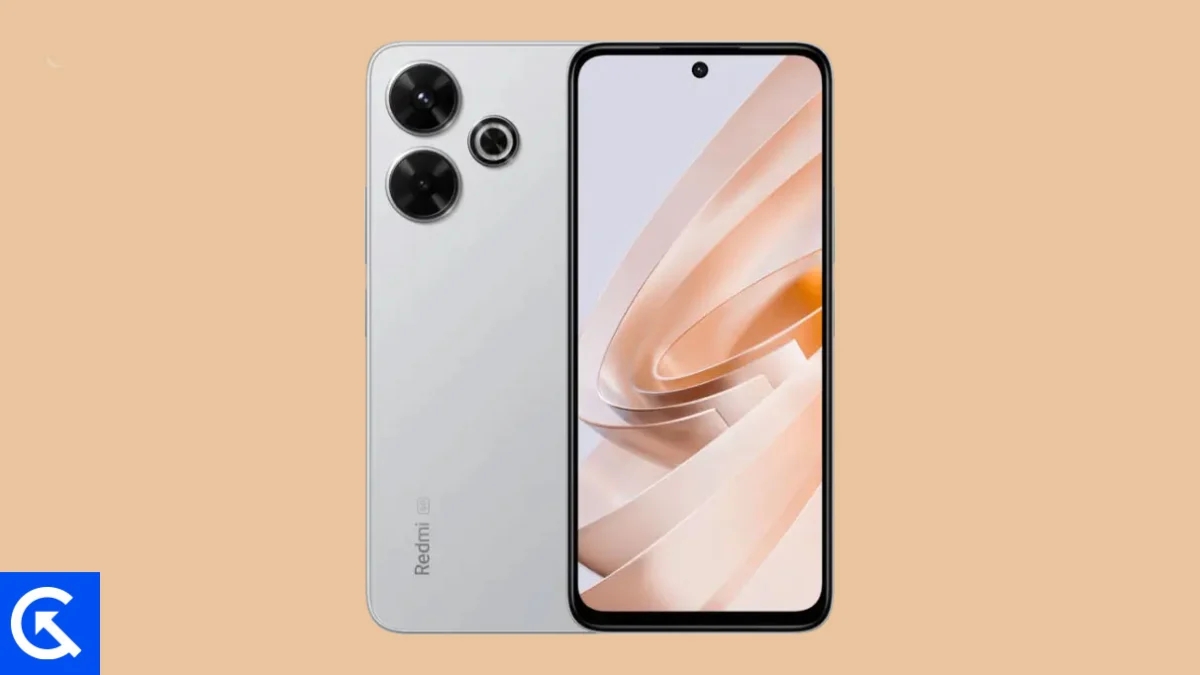
The Poco M6 Plus 5G and Redmi 13 5G, both released in the latter half of 2024, represent Xiaomi’s commitment to delivering high-value hardware at an accessible price point. Built around the Qualcomm Snapdragon 4 Gen 2 chipset, these devices were designed to offer a balanced 5G experience, characterized by power efficiency and reliable multitasking. With a expansive 6.79-inch IPS LCD display featuring a 120Hz refresh rate and a crisp 1080 x 2460 resolution, the hardware provides an ideal canvas for the visual refinements introduced in the latest version of Android. While Xiaomi’s native HyperOS provides a feature-rich environment, many enthusiasts prefer the streamlined, bloatware-free experience of stock Android, which this AOSP port delivers in spades.
![How to Install Android 16 on Xiaomi Poco M6 Plus 5G / Redmi 13 5G [Download Link]](https://www.getdroidtips.com/wp-content/uploads/2024/09/Xiaomi-Poco-M6-Plus-5G.jpg)
The centerpiece of the Android 16 experience is the introduction of "Material 3 Expressive." This design philosophy marks a significant maturation of the Material You aesthetic first introduced several years ago. Rather than a total departure from established norms, Material 3 Expressive focuses on the "feel" of the interface. For users of the Poco M6 Plus 5G, this translates to smoother, physics-based animations that respond more intuitively to touch gestures. The typography is bolder and more legible, while touch targets have been optimized to reduce accidental inputs—a welcome change on a screen as large as the M6 Plus’s. This update breathes new life into the device, making the hardware feel more premium through sophisticated software interactions.
Beyond the visual overhaul, Android 16 introduces several under-the-hood optimizations that leverage the Snapdragon 4 Gen 2’s architecture. These include improved background process management and enhanced energy efficiency protocols, which aim to extend the longevity of the device’s 5030 mAh battery. Privacy also takes a front seat in this iteration, with more granular controls over data sharing and improved transparency regarding when applications access the camera or microphone. For a device that originally shipped with Android 14, jumping to Android 16 via a custom ROM represents a significant leap forward in both security and functionality.
The transition to a custom ROM, however, is a process that requires precision and a clear understanding of the underlying technical requirements. Unlike official over-the-air (OTA) updates, installing an unofficial AOSP build involves modifying the device’s core software environment. The first and most critical step in this journey is the backup of personal data. Flashing a new operating system necessitates a complete wipe of the internal storage, meaning all photos, messages, and applications must be secured externally before proceeding.
![How to Install Android 16 on Xiaomi Poco M6 Plus 5G / Redmi 13 5G [Download Link]](https://www.getdroidtips.com/wp-content/uploads/2024/09/Xiaomi-Poco-M6-Plus-5G-300x169.jpg)
Furthermore, the device must have an unlocked bootloader. Xiaomi’s ecosystem allows for bootloader unlocking, but it typically requires a waiting period and the use of the proprietary Mi Unlock Tool. Once the bootloader is unlocked, the installation of a custom recovery environment, such as Team Win Recovery Project (TWRP), becomes possible. This recovery serves as the gateway for flashing the Android 16 ROM and managing the system partitions.
Another technical prerequisite is the configuration of Android Debug Bridge (ADB) and Fastboot on a desktop computer. These command-line utilities facilitate the communication between the PC and the smartphone when the latter is in its bootloader or recovery state. Ensuring that the correct Xiaomi USB drivers are installed is equally vital to prevent connection timeouts or data corruption during the sensitive flashing process.
The installation of Android 16 on these Xiaomi devices is performed through a specific sequence. After entering the TWRP recovery mode, the user must perform a "Factory Reset" to clear the existing HyperOS data. Following this, the Android 16 ROM file—a compressed ZIP archive containing the system image—is flashed onto the device. A unique aspect of AOSP builds is that they often exclude proprietary Google applications (GApps) to maintain a purely open-source footprint. Consequently, users who require the Google Play Store, Gmail, or Maps must flash a compatible Android 16 GApps package immediately after the ROM, before the first system boot.
![How to Install Android 16 on Xiaomi Poco M6 Plus 5G / Redmi 13 5G [Download Link]](https://www.getdroidtips.com/wp-content/uploads/2020/06/cmd-platform-tools.jpg)
Current reports from early adopters of this port suggest a surprisingly stable experience. The core functions of the Poco M6 Plus 5G and Redmi 13 5G, including 5G connectivity, Wi-Fi, Bluetooth, and the 108 MP primary camera, appear to be operational. However, as with any unofficial software, the "What Works" list is subject to change. Community development is an iterative process, and users are encouraged to contribute by reporting any discovered bugs—such as minor graphical glitches or specific sensor recalibration needs—to the developers via appropriate forums. This feedback loop is essential for refining the ROM and ensuring that future builds are even more polished.
One of the primary motivations for installing such a ROM is the removal of the "software ceiling" often imposed by manufacturers. While Xiaomi has promised a reasonable update path for the Poco M6 Plus 5G, official updates are frequently delayed by the need to skin the OS with HyperOS features and satisfy carrier requirements. By moving to an AOSP-based Android 16 build, users gain immediate access to Google’s latest API levels and security patches, effectively future-proofing their hardware. It transforms a mid-range handset into a "developer edition" device, offering a level of flexibility and customization that is rarely found in the budget segment.
The hardware of the Poco M6 Plus 5G and Redmi 13 5G is more than capable of handling the demands of Android 16. The 33W fast charging ensures that the device spends less time tethered to a wall, while the IP53 dust and splash resistance provides a layer of durability that complements the software’s robustness. By combining this reliable hardware with the latest software innovations, users can enjoy a flagship-like experience without the flagship price tag.
![How to Install Android 16 on Xiaomi Poco M6 Plus 5G / Redmi 13 5G [Download Link]](https://www.getdroidtips.com/wp-content/uploads/2020/08/twrp-custom-rom.jpg)
In conclusion, the arrival of Android 16 for the Xiaomi Poco M6 Plus 5G and Redmi 13 5G via the AOSP community is a testament to the enduring appeal of the custom ROM scene. It provides an avenue for enthusiasts to explore the future of Android today, bringing Material 3 Expressive and various system optimizations to a wider audience. While the installation process demands a certain level of technical literacy and a commitment to safety through backups, the reward is a rejuvenated smartphone experience that feels faster, cleaner, and more modern. As the development continues to mature, this port will likely become a staple for Xiaomi users looking to extract the maximum possible value from their devices. For those willing to take the plunge, the next generation of Android awaits.
