

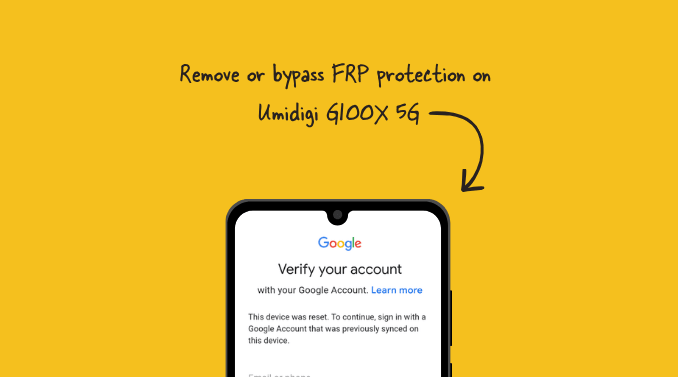
Factory Reset Protection (FRP) has evolved into a critical pillar of mobile security, serving as a robust barrier against unauthorized access. For users of the Umidigi G100X 5G, navigating this security protocol when credentials are forgotten can be a complex endeavor. As mobile devices become the primary repository for sensitive personal data, financial information, and digital identity, manufacturers like Umidigi have integrated stringent protective measures to deter theft and data breaches. When a smartphone is subjected to a hard factory reset, the device automatically triggers a Google verification prompt, requiring the original account credentials to regain entry. While this feature effectively renders a stolen phone useless to unauthorized parties, it frequently creates significant accessibility issues for legitimate owners who have lost access to their linked Google accounts. This comprehensive guide outlines the technical methodology for bypassing FRP on the Umidigi G100X 5G, a device powered by the latest Android 15 operating system, using industry-standard diagnostic tools.

Understanding the underlying mechanics of FRP is essential for any user attempting to bypass the lock. Introduced natively in Android 5.1 and refined through subsequent iterations, FRP is a persistent security state tied to the device’s hardware partition. When a user logs into a Google account on an Android device, the system stores a secure "token" that links the account to the phone’s unique identifiers. Upon a factory reset, the device enters a "Locked" state. It will refuse to proceed past the initial setup wizard until it can verify that the user is the original owner via a secure handshake with Google’s servers. On modern devices like the Umidigi G100X 5G, which utilize Spreadtrum/Unisoc (SPD) chipsets, bypassing this security layer requires specialized software that can interface directly with the device’s bootloader and firmware partitions.
Before initiating the bypass process, technical preparation is paramount. The primary tools required for this operation include the SPD Research Tool—a diagnostic utility designed for chipset-level communication—and a specific FRP reset configuration file tailored for the G100X 5G architecture. The process involves flashing a specific command or erasing the specific partition responsible for the lock status. Users should note that this procedure is considered an advanced technical operation. It requires a stable Windows-based environment, appropriate USB drivers for the Unisoc chipset, and a high-quality data cable to ensure constant communication between the device and the workstation. Any interruption during the communication phase can lead to firmware corruption or "soft-bricking" of the device.
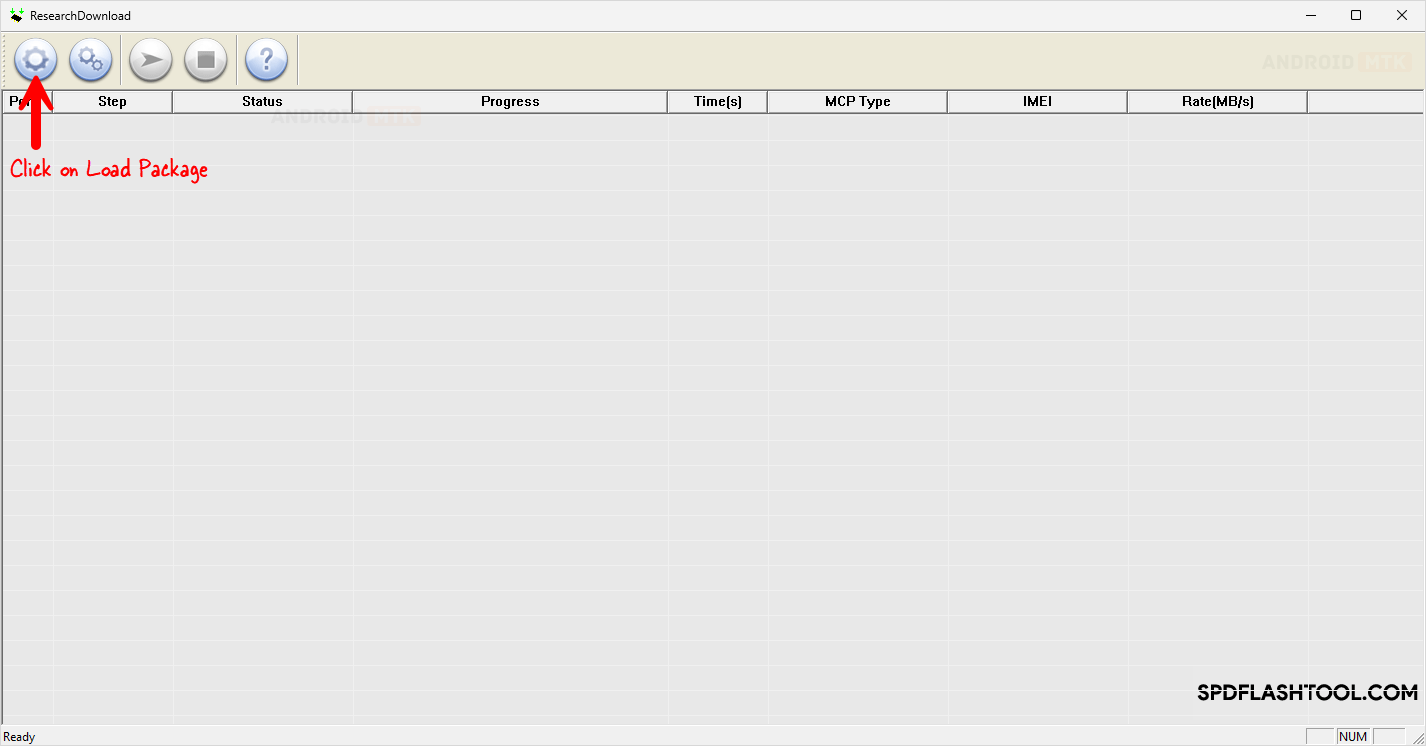
The procedural flow begins with the preparation of the SPD Research Tool. Once the tool is installed and the correct drivers are recognized by the Windows Device Manager, the user must load the device-specific package into the software. The Research Tool operates by interacting with the smartphone’s pre-loader mode, which allows for low-level modifications before the Android 15 operating system initializes. Selecting the correct configuration file within the interface is the most critical step; selecting an incorrect file can cause permanent damage to the device’s partition table. Once the tool is configured, the user must place the Umidigi G100X 5G into the required "Download Mode."
Entering Download Mode on the Umidigi G100X 5G requires precise physical interaction. With the device completely powered off, the user must press and hold the Volume Up and Volume Down buttons simultaneously. While maintaining this hold, the user connects the device to the computer via the USB cable. This specific key combination forces the Unisoc chipset into a state where it accepts incoming data commands from the computer, bypassing the secure boot restrictions that would otherwise prevent modification. If the drivers are correctly installed, the SPD Research Tool will register the connection, often indicated by a COM port designation appearing in the software interface.
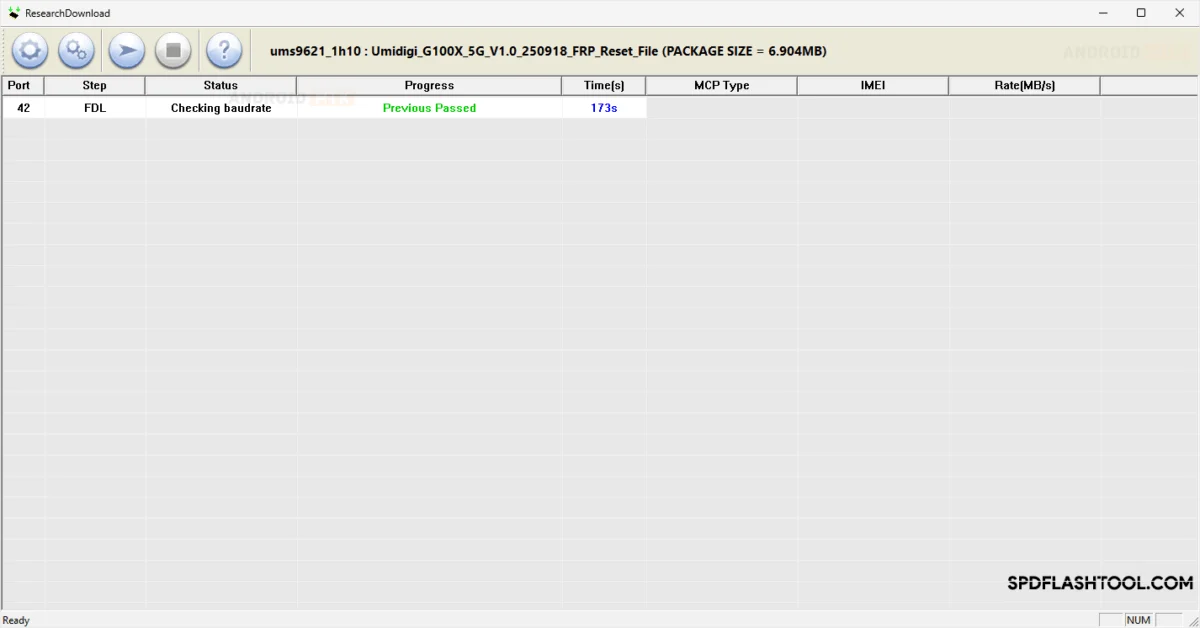
With the device in the correct state, the user proceeds to initiate the flash sequence. The Research Tool will execute the command to overwrite or clear the FRP-specific memory block. This block holds the "Lock" flag; by erasing this data, the device is effectively reset to a state where the setup wizard no longer triggers the Google account verification requirement. The process is usually rapid, typically concluding within a few seconds. The interface will display a visual confirmation—often a green status bar or a "Passed" message—indicating that the operation was successful.
Upon successful completion, the user must disconnect the device from the computer and initiate a reboot. As the device starts up, it will initialize the Android 15 environment as if it were a brand-new handset. The setup wizard will appear, but this time, the "verify your account" screen will be absent, allowing the user to configure the device, add new credentials, and restore functionality. It is highly recommended that after the bypass is successful, the user logs into a new Google account and updates the device firmware to the latest security patch provided by Umidigi, ensuring the integrity of the device’s software environment.
While this guide provides a roadmap for regaining access, users must be aware of the security trade-offs involved in bypassing FRP. By design, these security features are intended to discourage the illicit trade of stolen devices. Bypassing FRP does not "unlock" the phone in the sense of network carrier restrictions; it merely clears the account lock. Furthermore, users should understand that performing such operations outside of standard, manufacturer-approved procedures can impact the device’s warranty status. It is essential to approach this task with diligence, ensuring all data, such as photos or documents stored locally on the internal storage, are acknowledged as potentially lost during a factory reset, as the act of resetting the device remains the catalyst for the lock itself.
Finally, maintaining a secure backup of Google account credentials is the best way to avoid the necessity of such bypasses. Modern Android security is constantly being patched; while methods for bypassing FRP are currently effective for the Umidigi G100X 5G, future security updates may further harden the device against such software-based interventions. The progression from Android 5.1 to Android 15 has seen a significant increase in the complexity of these security layers, and as such, the technical community remains committed to evolving these bypass tools to ensure that users who are legitimately locked out of their hardware have a path to recovery. By following these instructions systematically, users can effectively manage their device security and overcome the hurdles presented by the modern Android ecosystem’s protective protocols. The combination of the SPD Research Tool and the correct firmware configuration remains the gold standard for recovering access to these specific hardware configurations, ensuring the Umidigi G100X 5G remains a functional and accessible tool for its owner.
