

The evolution of Xiaomi’s software ecosystem, transitioning from the long-standing MIUI to the more integrated HyperOS, has brought about a significant paradigm shift in how the company manages device security and user autonomy. With the rollout of HyperOS 3, based on the Android 16 architecture, Xiaomi has implemented some of the most stringent bootloader unlocking restrictions in the history of the smartphone industry. Historically, Xiaomi was favored by the enthusiast community for its relatively open stance toward modification; however, the current landscape requires users to navigate a complex labyrinth of account levels, regional restrictions, and a "lottery-style" application process through the Mi Community App. This application window, which typically opens at 12:00 AM Beijing time, has become a point of immense frustration for global users, as quotas are filled within seconds and many are left with "application failed" messages for weeks on end. Fortunately, the developer community has identified a sophisticated methodology to circumvent these official barriers, allowing power users to reclaim control over their hardware without the arbitrary wait times imposed by the official application suite.

To understand the necessity of this bypass, one must first examine the current state of HyperOS 3 security. Xiaomi’s justification for these heightened restrictions centers on the protection of user data and the prevention of unauthorized resellers installing "vendor ROMs" loaded with adware or spyware. While these are valid security concerns, the implementation has inadvertently penalized the core enthusiast base—those who wish to install custom recoveries, root their devices for advanced backups, or utilize community-driven custom ROMs like LineageOS or Xiaomi.eu. Under the official HyperOS 3 protocol, a user must maintain an active Xiaomi account for a specific duration and reach a certain "engagement level" within the community forums before even being considered for bootloader unlocking. This artificial barrier has led to a surge in demand for alternative methods that interface directly with the device’s bootloader interface, bypassing the need for the Mi Community App entirely.

The process of unlocking the bootloader on HyperOS 3 requires a meticulous approach to technical preparation. Before any modification is attempted, it is imperative to understand that unlocking the bootloader triggers a factory reset of the device. This is a security feature inherent to the Android Verified Boot (AVB) process; when the bootloader’s state changes from "locked" to "unlocked," the encryption keys are purged to ensure that an unauthorized party cannot access user data by simply unlocking the device. Consequently, a comprehensive backup of all internal storage, including photographs, application data, and two-factor authentication tokens, is the first and most critical step. Furthermore, users must be aware that this procedure generally voids the manufacturer’s warranty and may permanently disable certain high-security features, such as the ability to play Netflix in High Definition (due to Widevine L1 downgrading to L3) or the use of certain high-integrity banking applications that check for "strong" device integrity.

The technical setup for the bypass method involves a combination of specialized drivers and a modified version of the unlock interface. Users must ensure their computer environment is equipped with the latest ADB (Android Debug Bridge) and Fastboot drivers. On the device side, "Developer Options" must be activated by tapping the "OS Version" entry in the system settings seven times. Within the newly revealed Developer Options menu, "OEM Unlocking" and "USB Debugging" must be toggled on. The core of the bypass method relies on a specialized script or a modified unlock tool that mimics the communication protocol of the official Mi Unlock Tool but skips the server-side check that validates the Community App’s approval token. This is often achieved by utilizing a specific vulnerability in the way HyperOS 3 handles "Bind Account" requests, or by using a community-maintained server proxy that satisfies the device’s requirement for a digital signature without the Beijing-timed gatekeeping.

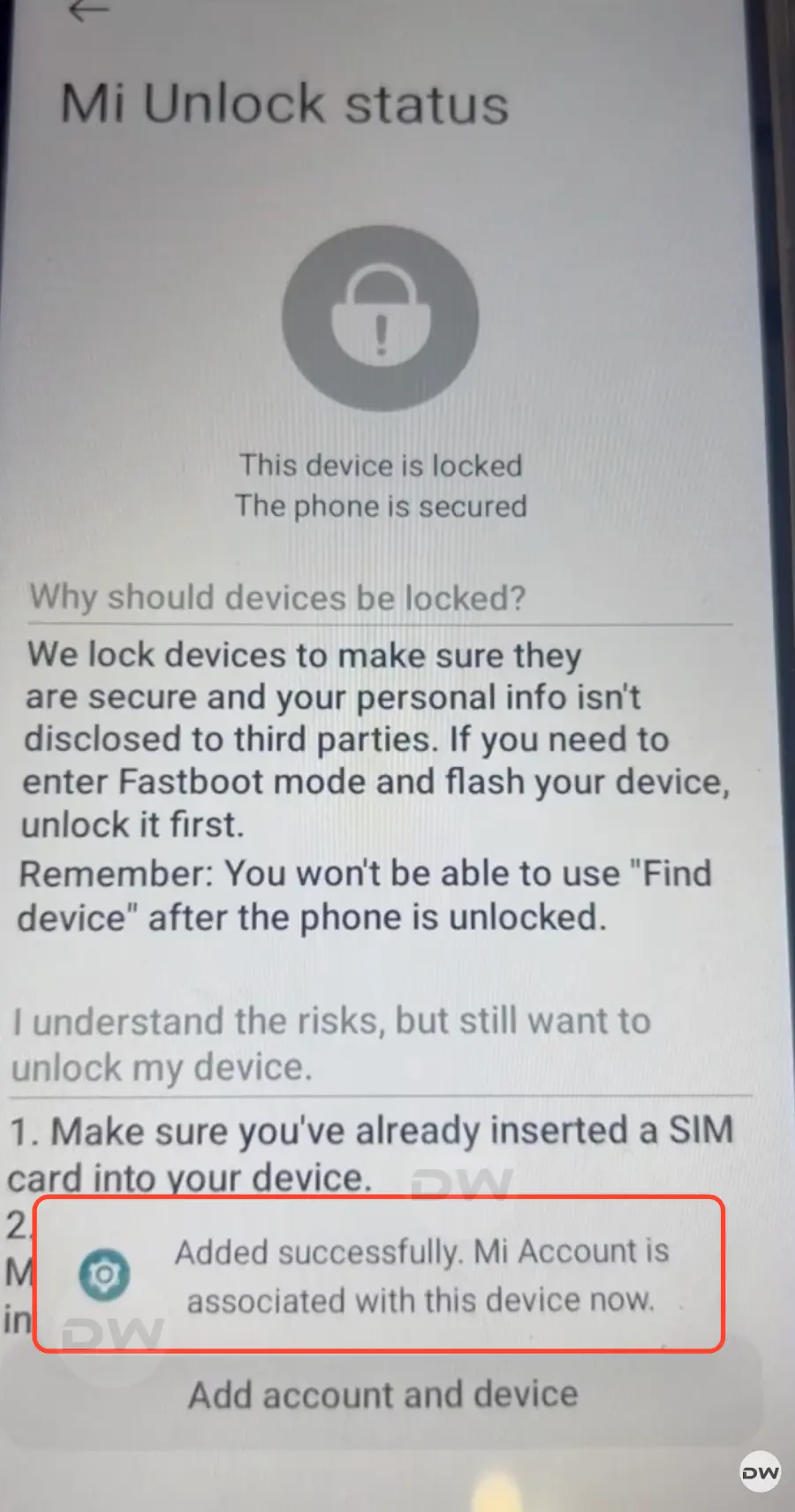
Once the environment is prepared, the actual unlocking instructions begin with the device being placed into Fastboot Mode. This is typically achieved by powering down the device and then holding the Power and Volume Down buttons simultaneously until the iconic "Fastboot" logo appears on the screen. Once connected to a PC via a high-quality USB cable, the user must verify the connection using the command "fastboot devices" in the terminal. The bypass tool then takes over, executing a series of commands that "bind" the device to the user’s Mi Account through a direct API call rather than the Community App’s front-end. This step is crucial because it tricks the device’s internal security module into believing that the official cooling-off period has been satisfied or that the account has been granted a special dispensation by Xiaomi’s servers.

Following the successful binding of the account via the bypass script, the device must remain in a state of readiness. In some instances, even with the bypass, a shorter wait period of 72 to 168 hours may be hard-coded into the device’s firmware. However, the primary advantage of this method is the elimination of the "Level 5" account requirement and the midnight application lottery. During this interval, it is vital not to log out of the Mi Account on the device or perform a factory reset, as this will break the cryptographic link established by the tool. Once the required duration has elapsed—or immediately, if the specific bypass tool supports an instant unlock for the targeted chipset—the user runs the final unlock command. The terminal will display a progress percentage, and upon reaching 100%, the device will reboot, displaying a "locked padlock" icon that is now open, signifying a successful transition to an unlocked state.

The implications of an unlocked bootloader on HyperOS 3 and Android 16 are vast. For developers, it allows for the exploration of the new kernel sources and the optimization of system resources. For the average power user, it opens the door to "debloating"—the removal of system-level applications that Xiaomi pre-installs, which often consume background battery and data. Furthermore, it enables the installation of powerful customization frameworks like Magisk or KernelSU. These tools provide "root" access, allowing for system-wide ad-blocking, advanced thermal management, and the ability to change the system’s aesthetic far beyond what the official Themes app allows. However, with this power comes the responsibility of maintaining the device’s security posture. An unlocked bootloader makes the device more vulnerable to physical data theft if it falls into the wrong hands, as a new operating system could be flashed to bypass lock-screen security.

As we look toward the future of Xiaomi’s software strategy, it is clear that the cat-and-mouse game between the company’s security engineers and the global modding community will continue. HyperOS 3 represents a significant hardening of the "walled garden" approach, but the successful development of bypass methods for Android 16 demonstrates the resilience and ingenuity of the enthusiast ecosystem. While Xiaomi may continue to iterate on its detection algorithms and server-side checks, the demand for hardware ownership and software freedom remains a potent driver for innovation in the third-party development space. Users who follow these steps will find themselves at the forefront of this digital frontier, wielding a device that is truly their own, free from the arbitrary constraints of corporate software policy. This guide serves as a testament to the fact that while manufacturers may build the walls, the community will always find a way to build a ladder.
